All apps

Mobile app · Android · iOS
Shepherdr
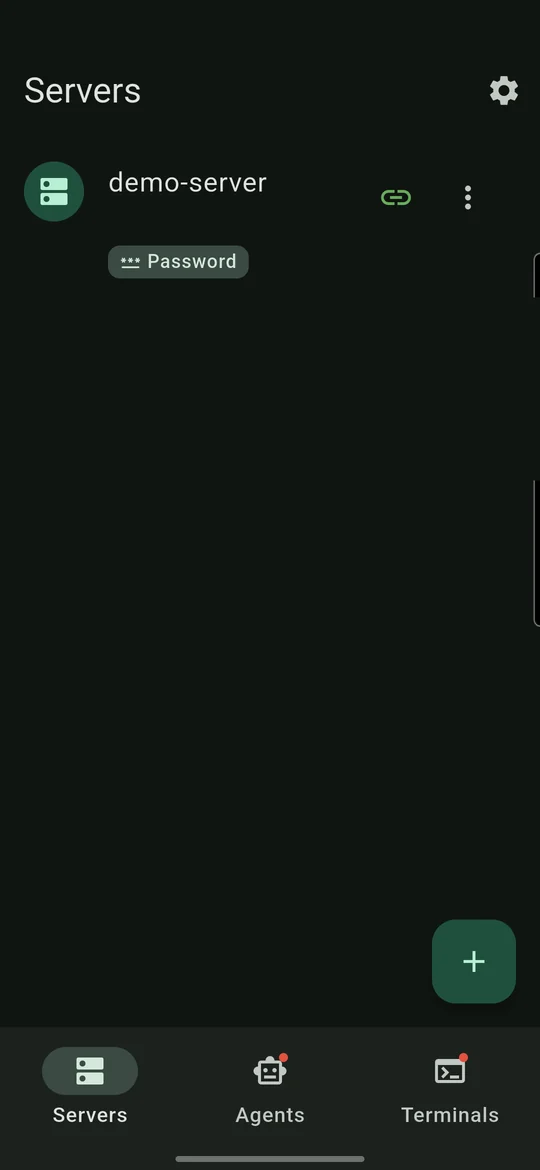
Monitor and control your herdr AI agent workspaces over SSH from your phone.
Free for one server · One-time unlock for unlimited servers · No subscription
Screenshots
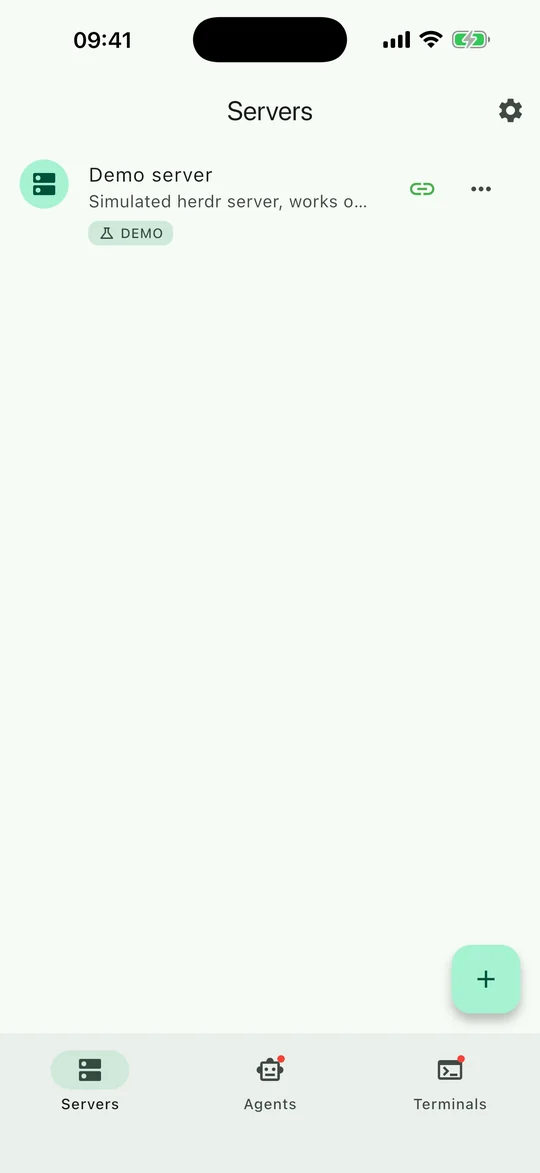
Your agents, in your pocket
Features
Check in, unblock, steer
Shepherdr is built for developers and system administrators who run AI coding agents on remote machines and want to check in, unblock and steer them without a laptop.
01
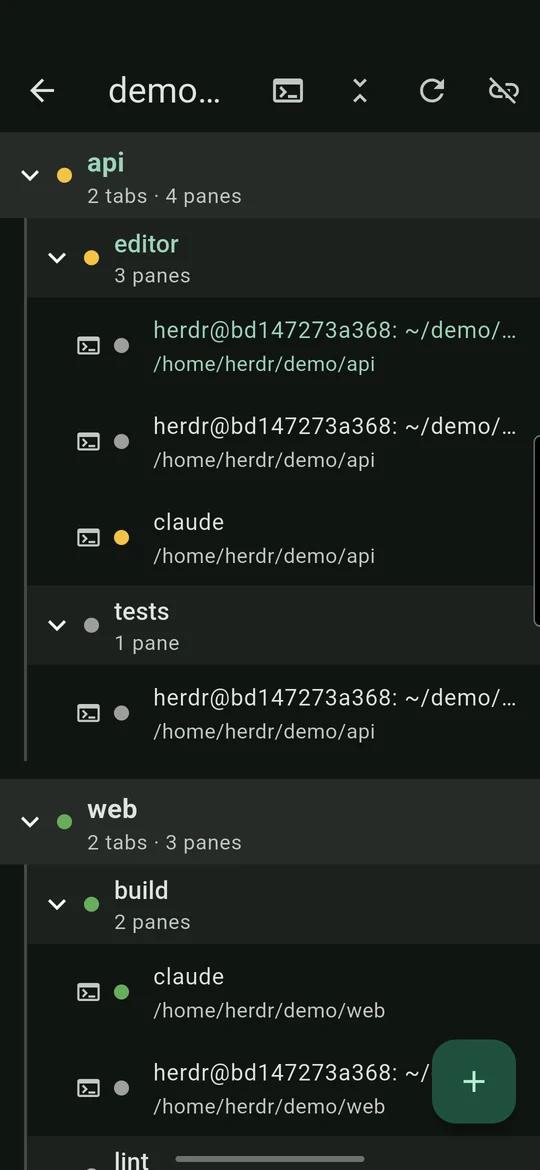
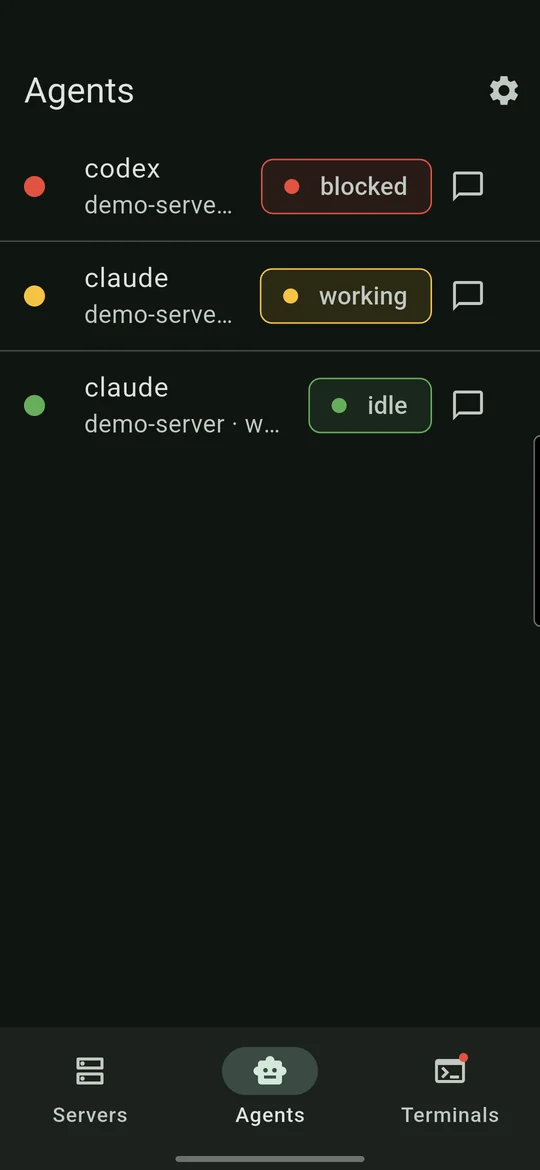
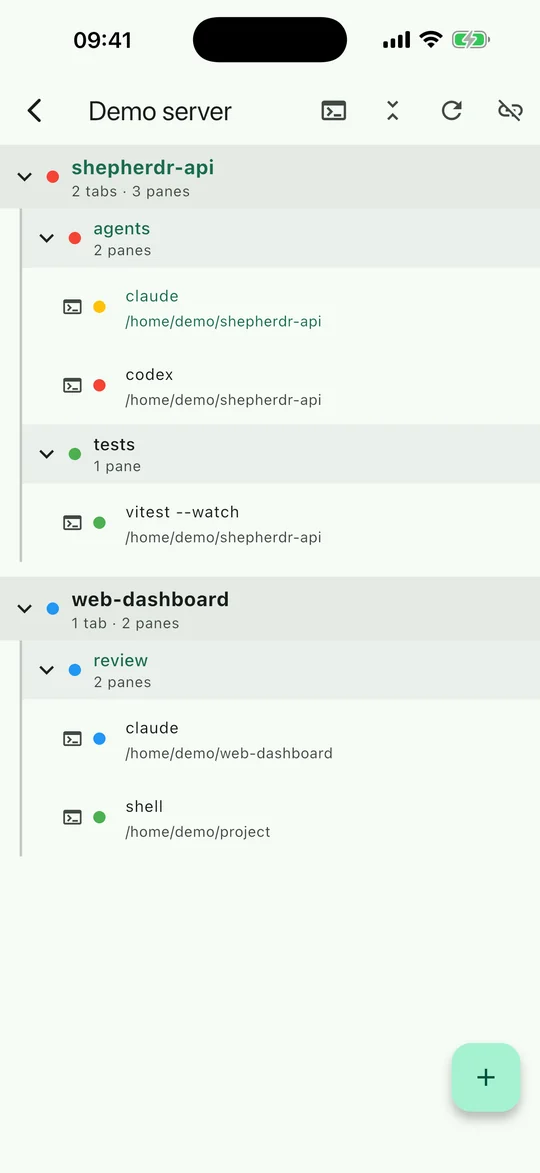
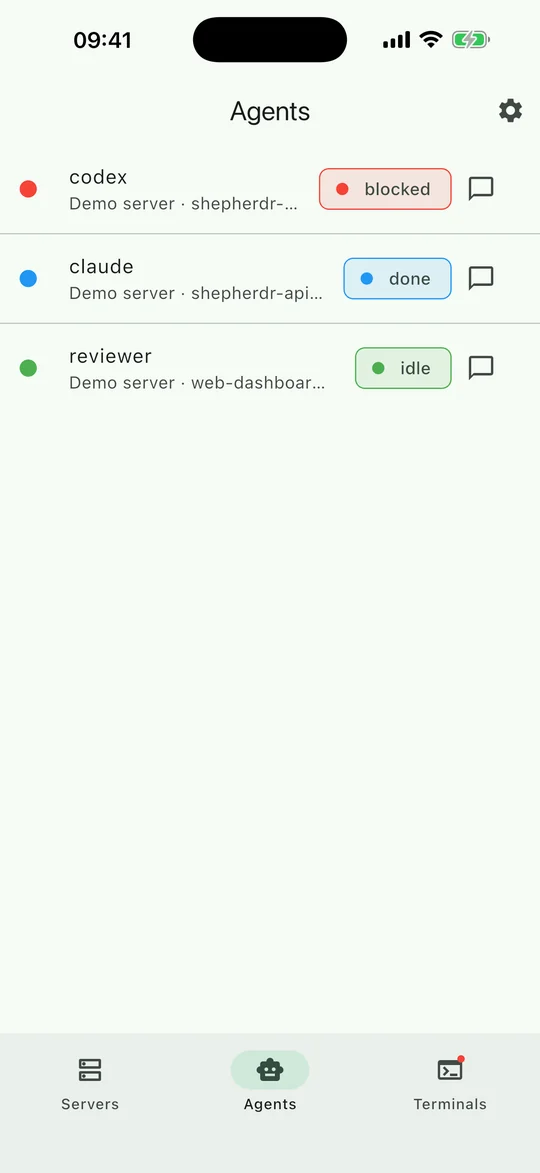
See what your agents are doing
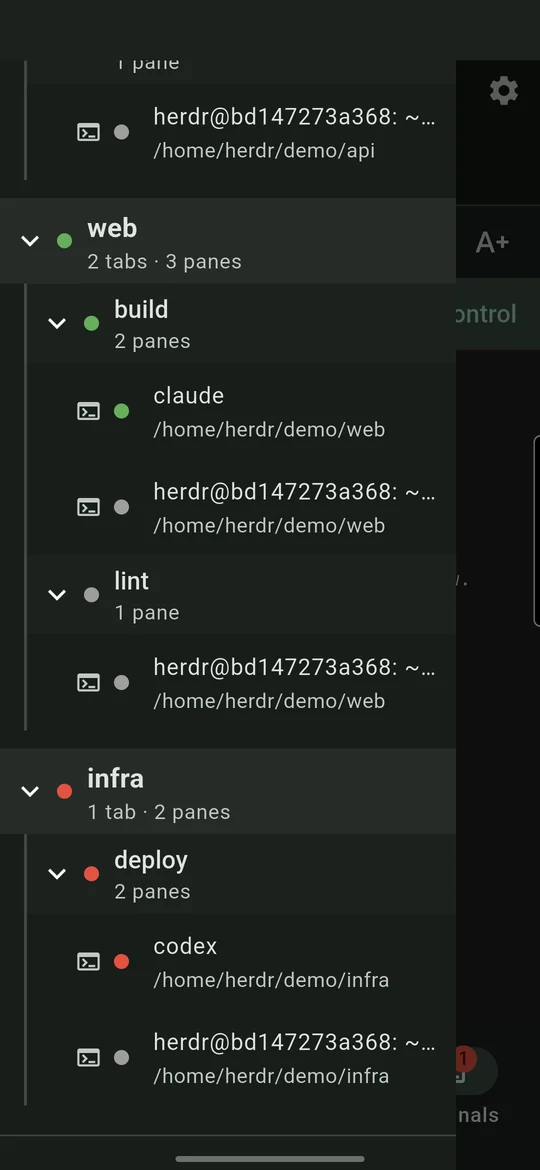
- Live tree of herdr workspaces, tabs and panes
- Agent status at a glance: working, blocked or idle
- Updates arrive as they happen, no manual refresh
02
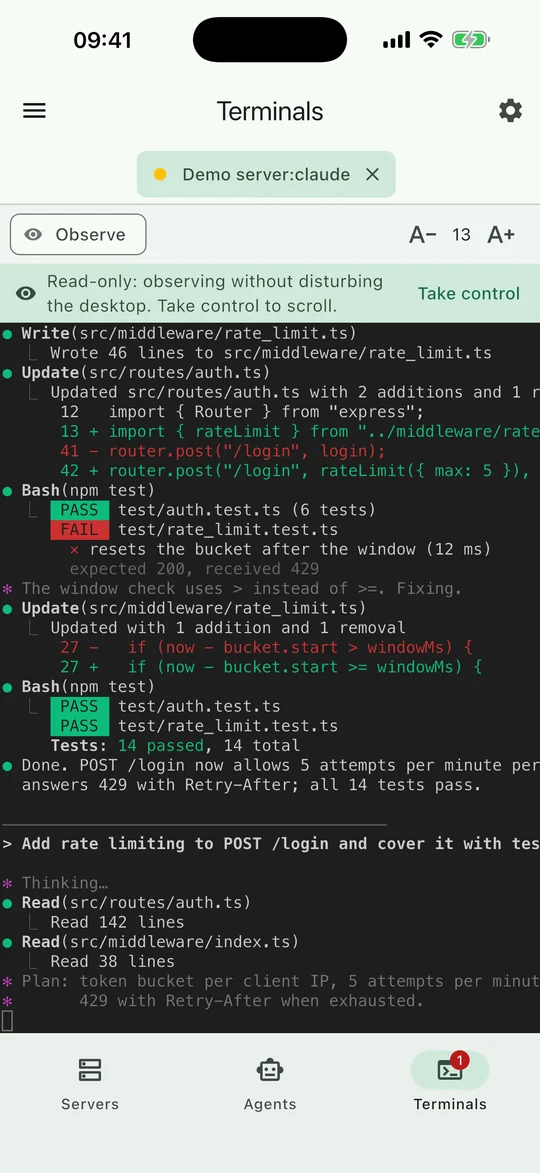
Observe or take control
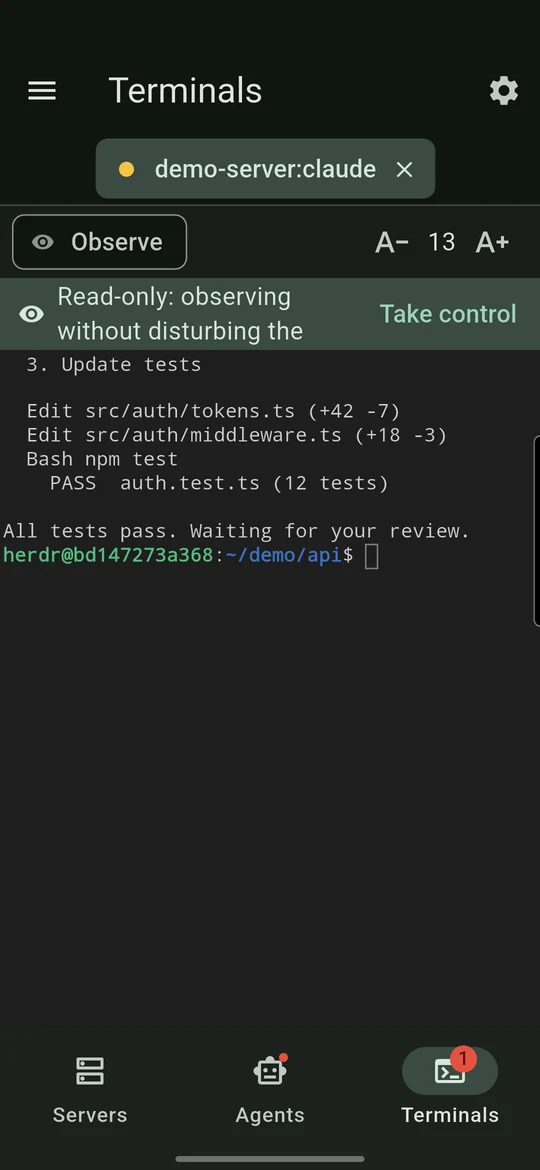
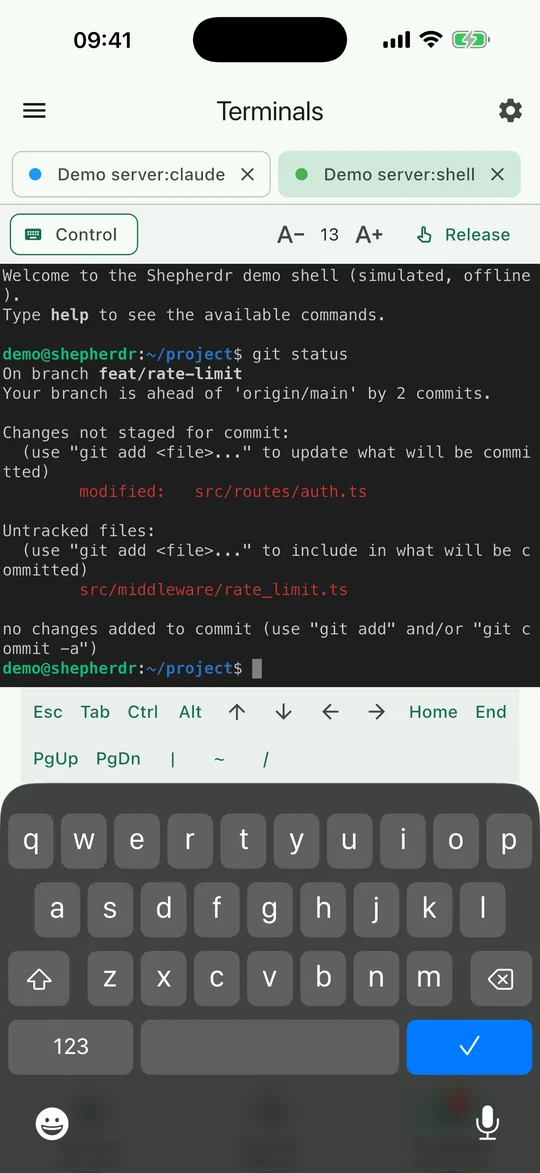
- Open any pane as a read-only terminal to watch safely
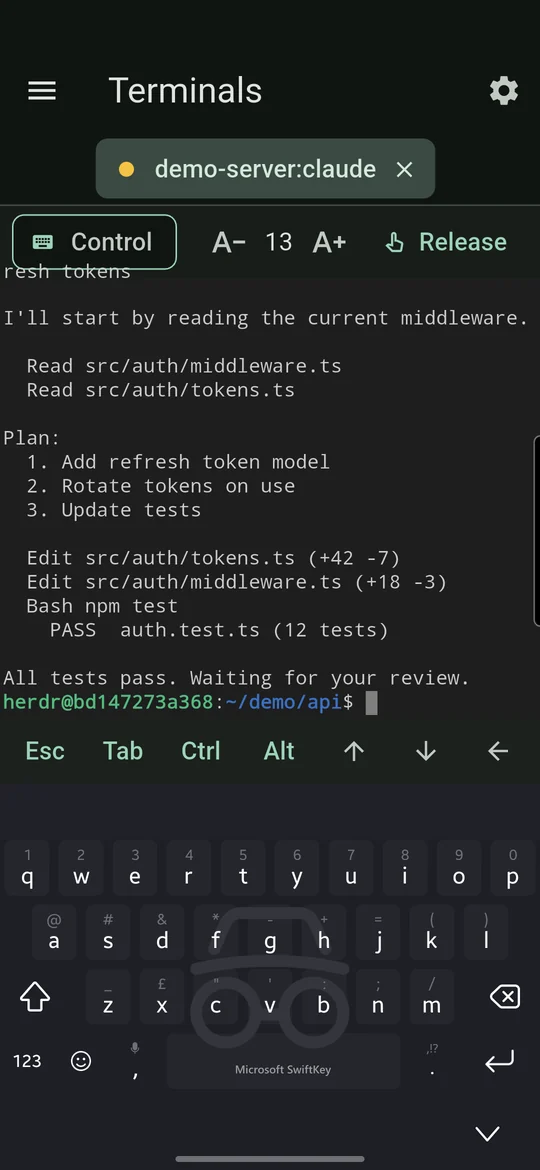
- Take control when an agent is blocked and needs an answer, then release it again
- Extra keys row for phone keyboards: Esc, Tab, sticky Ctrl and Alt, and more
- Pinch to zoom, or use A+ and A- to change the font size
- If herdr is not available on a server, open a plain SSH shell instead
03
Multiple servers
- Add servers by IP address or DNS name
- Sign in with a password or an SSH key
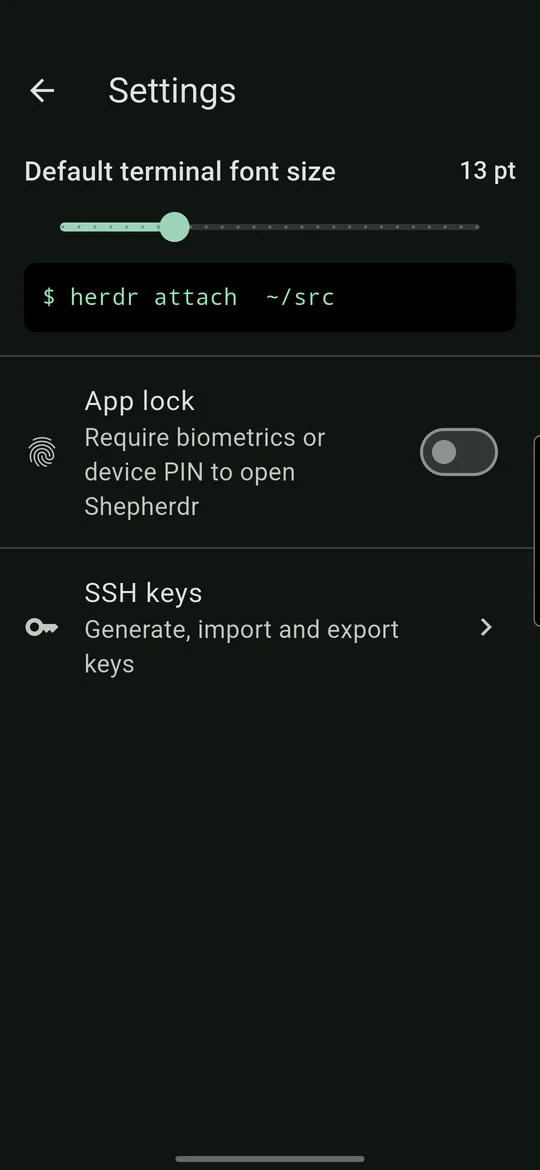
- Generate Ed25519 keys in the app, or import OpenSSH/PEM keys (ed25519, RSA, ECDSA), including passphrase-protected keys
- Copy a public key to paste into authorized_keys
04
Secure by design
- Host-key verification: confirm a server’s fingerprint on first connect and get warned if it changes
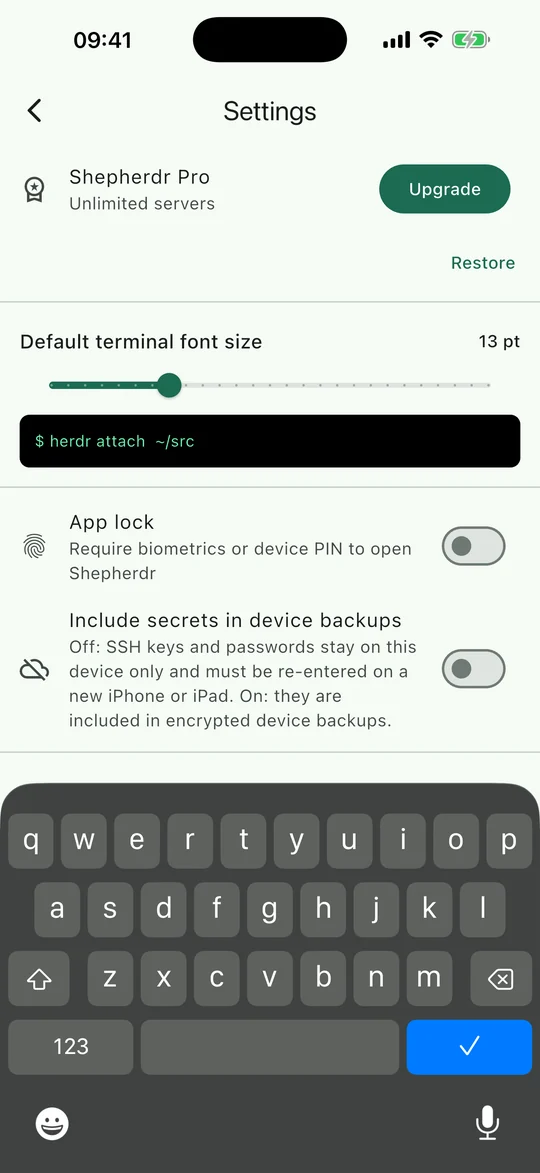
- Passwords, private keys and passphrases are kept in the device’s encrypted storage (Android Keystore, iOS Keychain), and passwords and passphrases are saved only if you choose
- Optional biometric or screen-lock app lock
- No accounts, no ads, no analytics. The app only connects to the servers you add
Pricing
Simple, one-time pricing
No subscription. No account. Pay once through Google Play or the App Store if you need more than one server.
Free
£0
Everything in the app, for one server.
Unlimited servers
One-time unlock
Add as many servers as you like. A single in-app purchase, no subscription.
Requirements
- An SSH server you can reach from your phone, running herdr 0.9.1 or newer
- herdr is installed and managed by you on your own machines; see herdr.dev
Built with Techarge, our software development partner.